you are what you love:

25

October 29, 2009

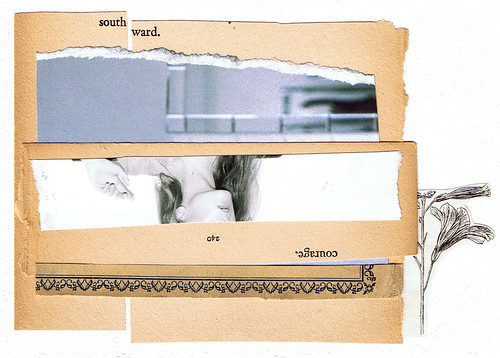
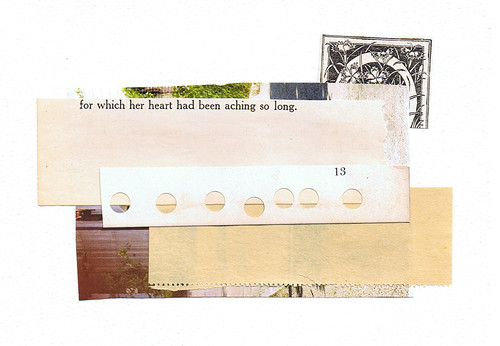
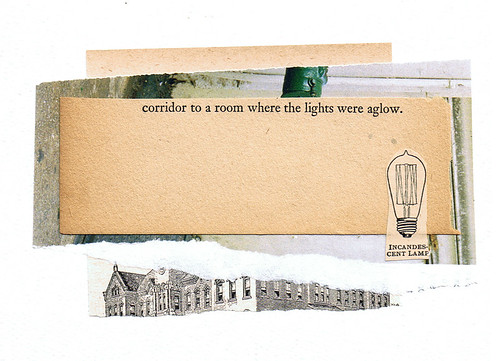
i came across april's work a while ago but i love love love her "oh sweet woods" set on flickr. there is something about paper collages that i really love. maybe it's the charm of the found vintage pages and story and history behind each piece. anyway, april is such a talented designer (and still just a student!) but check out her blog, flickr, and etsy shop.


happy weekend:

28

working..
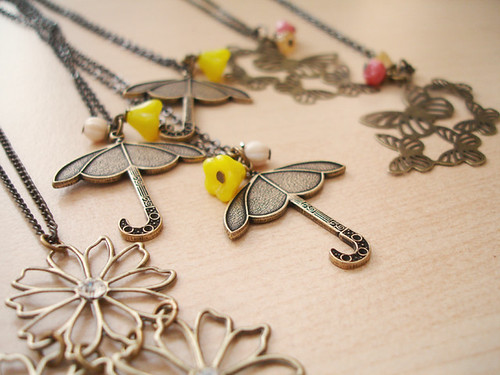
some new necklaces..

working..
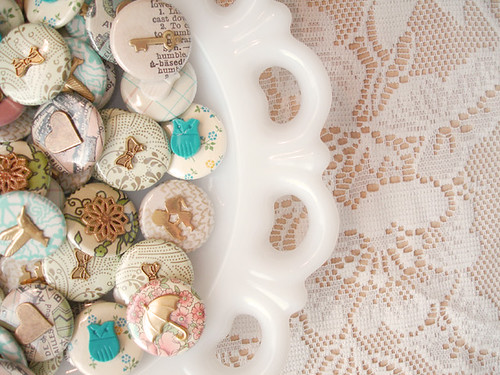
new charm buttons.. love!

working..
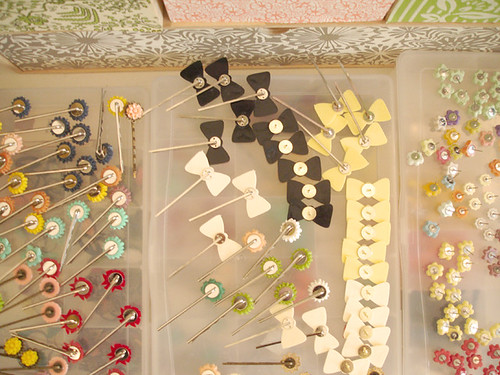
so many hair pins + earrings!

these are some new things i've been working on lately. i know it's not friday yet.. but i'm down in san diego (stop by ucsd if you're near and visit!) selling the oh, hello friend line at a show so i'm going to call it an early week for me. hope you all have a fun halloween! see you monday.

xo.

bridesmaid project (2)

23

October 28, 2009


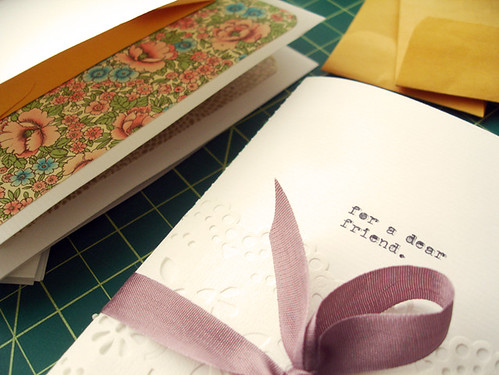
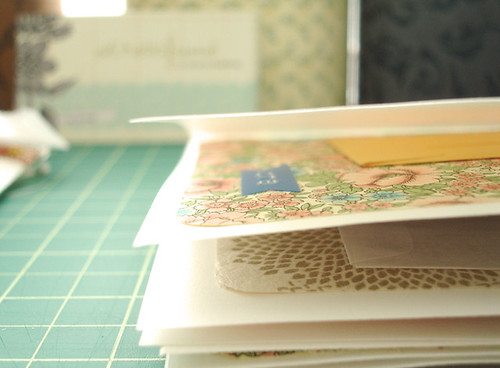
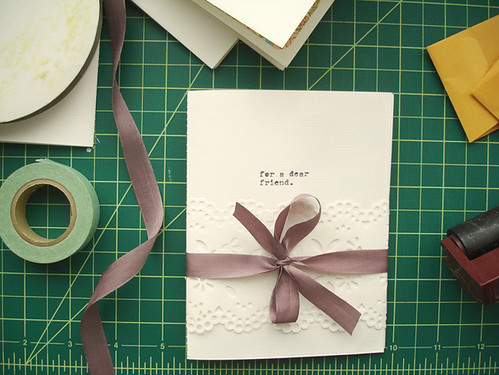
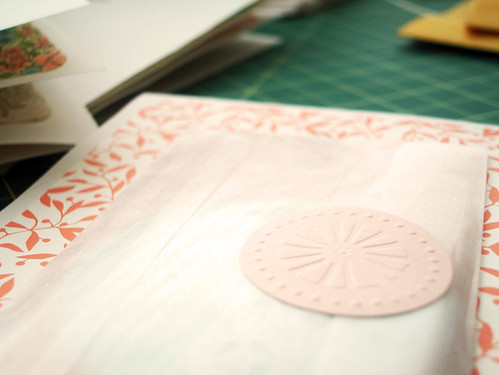
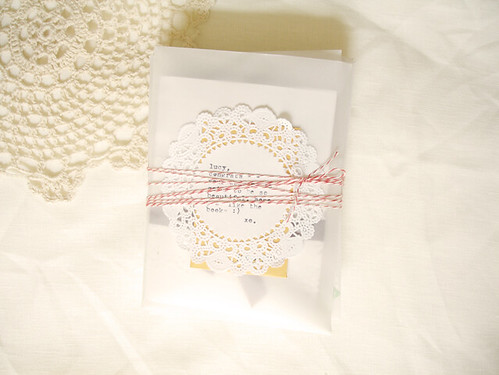
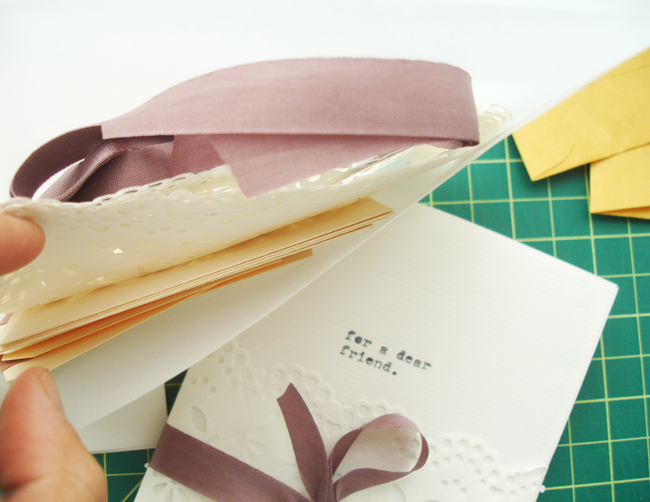
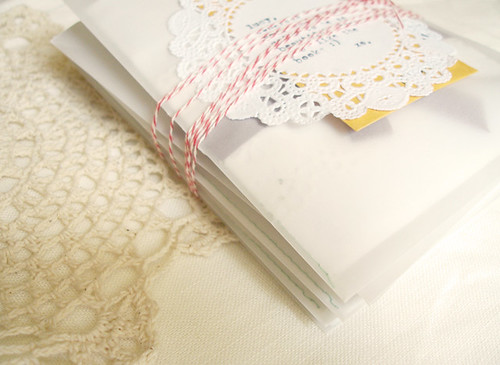
here is project 2! they are little surprise books with pockets envelopes for surprises. these were made for the fabulous the most lovely lucy of utterly engaged, who just got married last weekend! the books included a hair pin, pocket mirror and necklace. finished with paper lace trim, these are so much fun. :)

bridesmaid books: 1
bridesmaid books: 2
bridesmaid books: 4
bridesmaid books: 3
bridesmaid books: 8
bridesmaid books: 5
bridesmaid books: 6

lovely goods will return next week ;)


bridesmaid projects:

35


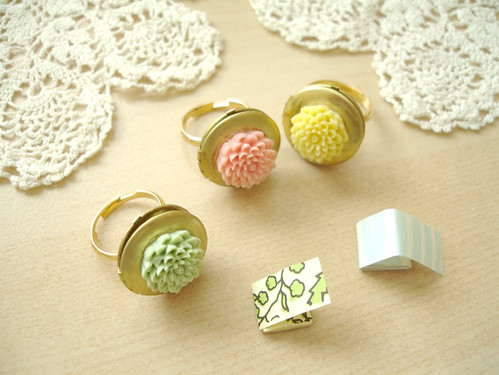
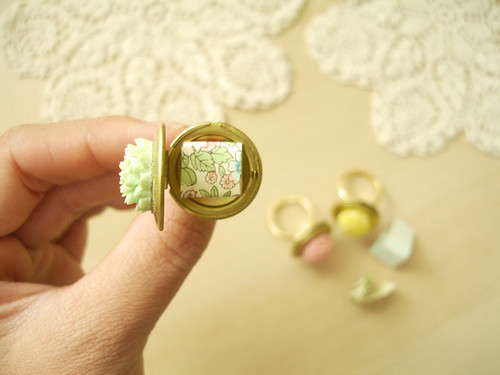
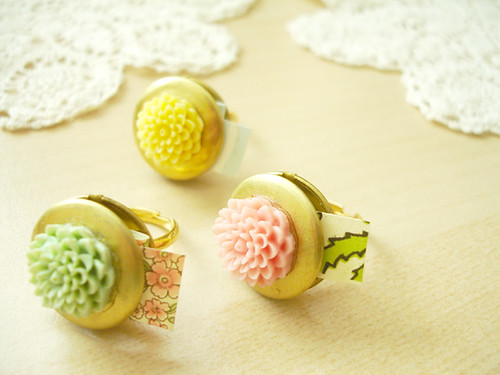
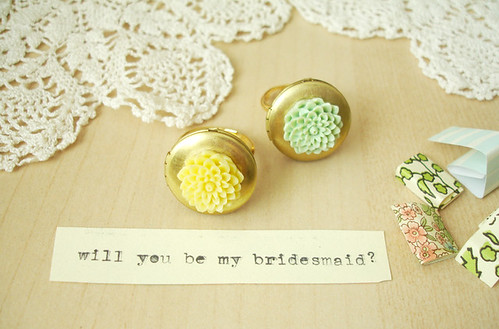
i love weddings. i've recently made a couple small projects for bridesmaids and they have been really fun - so i wanted to share them with you! the first project was for michelle woo, who recently got engaged! (congrats!) i met her at a sephora makeup gathering and even though it was short, she was so sweet and had just gotten engaged the day before! so she messaged me with an idea to get the locket rings and place a message inside for her bridesmaids. she got to choose her flower colors and here's how it turned out!

bridesmaid rings: 1
bridesmaid rings: 2
bridesmaid rings: 3
bridesmaid rings: 4

inspire: lovely.

31

October 27, 2009

hello. how is your week going so far?
i hope well for everyone!
here is some tuesday inspiration for you.

click the + for the source.


+


+ (via ivay +)


+


+


+


+


+


+


+


+


+


+ (via design lovely +)


+
(via captivate me +)

weekly giveaway - hettle:

133

October 26, 2009


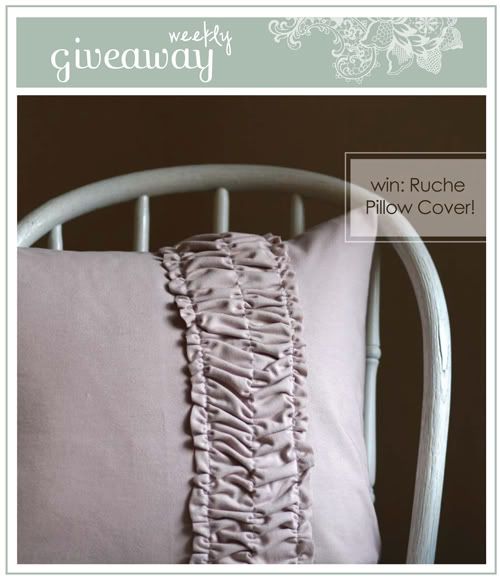
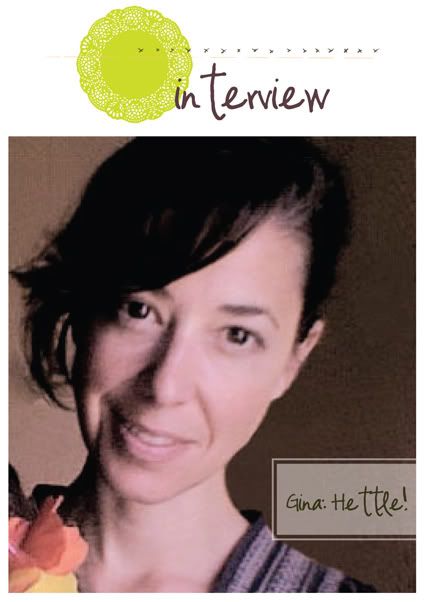
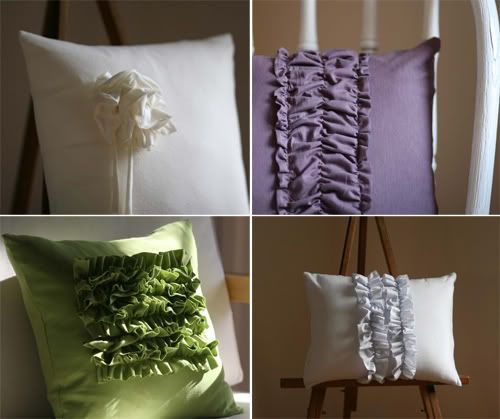
have you been to hettle yet? when i first came across this shop, it was an immediate favorite for me. i mean, pillows + ruffles? it's the best combo! gina makes the most pretty pillows, i want to furnish my whole place with her ruffle pillows :) one lucky winner will receive this lovely pink ruche pillow cover!

blog | shop | twitter

win: muted pale pink ruche
pillow cover, $34 value!


Please tell us a little about yourself? A little about me.....I am a self employed graphic designer and professional photographer, I have always made things, it is where I feel most myself and content. I opened my Etsy shop just over a year ago so I could take a little break from the computer everyday and get back to handmaking things. I am also a single mom to two lovely little ones who make me nuts and happy all at the same time.

How did you get started in sewing and making all your lovely things: After I graduated from art school I taught sculpture for a while, which led to an interest in fabric as a material to make things, over the years I just used the material in a more practical way. Eventually I felt that I needed training so I took sewing classes from a seamstress and made mostly dresses and my own patterns. I was hooked!

Where do you find inspiration? Definetly Fashion and art. I am attracted (and obsessed) to all things with folds and volume and embellishment. Also anything that has a texture, just going for a walk makes me look at the texture of things around me and how it translates into something wearable or for the home, It's an interesting way to look at the simple things that are all around you.

Favorite Inspirational blogs/shops/links: (too many and so hard to pick favorites!) |
decor8blog | creaturecomforts | thatunreliablegirl | urbanweeds | readymade | dooce
rizzoliusa.com (wonderful collection or art books) style.com ( fashion) photoshopdisasters ( funny)
Visit Hettle and leave a comment with your favorite item from Gina's shop.

( NEW! EXTRA CHANCE TO ENTER! )
an opportunity to gain one extra entry and chance to win! simply twitter, facebook, or blog about this giveaway and come back and comment with the link :)

Be sure to leave your email address in your entry!
come back next and check the blog to see if you are the lucky winner!

giveaway ends on monday, november 2 at 8am, pst.


ps: I am now just going to post the giveaway winner from the previous week's giveaway in the same post :) so last week's winner is HOLLY, #47! congrats! please email me with your mailing information. thanks to kailey hawthorne!


( happy friday )

10

October 23, 2009


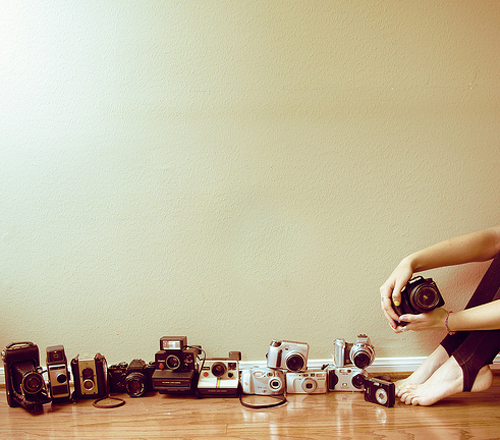
( image credit: holly.skye )

new shop opening! humble like this child: ahh, so many of my friends are having kids right now .. and all girls! wouldn't these adorable handmade princess dolls from humble like this child be such a great gift?

diy project at mint: i'm sure everyone reads mint but in case you missed it, ellie posted a diy cork placecards tutorial just this morning - and it is fabulous!

advent calendar diy from just something i made: i think i mentioned this blog: just something i made a little while ago. i came across it and it was just one of those immediate add-to-my-reader blogs. it's official: cathe holden is my hero. and she has done it yet again with this spool advent calendar. i LOVE advent calendars! and how clever is this one! she event provides the printables too, what a doll.

craft fairs this weekend: a lovely list of craft shows this weekend via craftzine. a huge list of all the craft shows going on this weekend. and call for entries, if you're thinking of some winter shows to apply for. oh, and if you're in needham - there is this show this weekend too :)

life + blogs article on decor8: great post from holly on decor8 - "is your life all about blog content?" hahah. nick knows all about the blog drama i tell him ;) hundreds of responses so far.. join in the discussion!

lovely giveaway on the drifter and the gypsy: opportunity to win this amazing book, the photo album. i imagine is it just one amazing book of endless inspiration!

this weekend i am getting ready for a craft show.
do you have any exciting plans?
well, i hope your weekend is filled with goodness.
thanks for reading!

ps: special thanks to rebecca from loving living small for
mentioning photo booth love + my blog on
apartment therapy la! what an amazing opportunity
to be mentioned, thank you!!

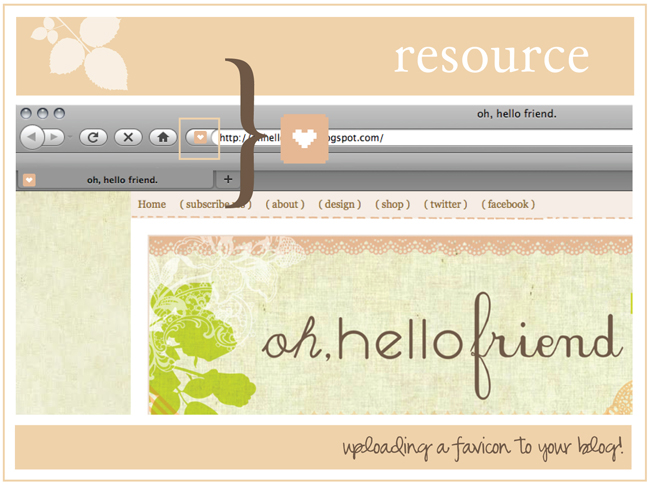
( resource ) uploading a favicon tutorial:

43

October 22, 2009


What is a favicon? A favicon (short for favorites icon), also known as a website icon, shortcut icon, url icon, or bookmark icon is a 16×16, 32×32 or 64×64 pixel square icon associated with a particular website or webpage. (wikipedia.com)

Today I am going over how to add a favicon in blogger, for those blogger.com users :) If you don't use blogger, these seem pretty helpful: adding favicon in wordpress or favicon for your website.

There are a couple ways to get your favicon in blogger, but this is the easiest way I've found. Usually you deal with a .ico file. The only issue with .ico is that free uploading sites like flickr or photobucket do not regonize an .ico file and therefore, you can't upload it. Thanks to blogger buster.com, there is a way you can create a favicon using a .png file. So I am showing you how based off his steps.. Click below for the tutorial!

( note: the icon will only appear in firefox )

1) Create your favicon image. If you have photoshop or illustrator, you can create your favicon by creating a 16x16 pixel document. Remember, it's super tiny so it is probably best to use some sort of icon or shape. Obviously, no lines of text. If you don't have photoshop to create your own favicon, you can use this free favicon image editor and either upload a photo or color one in if you know how to work with pixels and squares ;) If you don't want to create your own, here are some free favicon's you can download from other sites:


121 Bitcon Icons from somerandomdude.com

182 Sweetie BasePack Icons from sweetie.ca

140 Mini Icons from famfamfam.com

247 flag icons from famfamfam.com

31 pixelicons from explodingboy.com

2. You need to get the format of your icon to a .png format. Use photoshop and "Save as" to create a .png file. If you don't have photoshop, simply go to the free online image converter and upload your icon. Then click the link below that says "Convert to PNG" and the file will download to your computer.


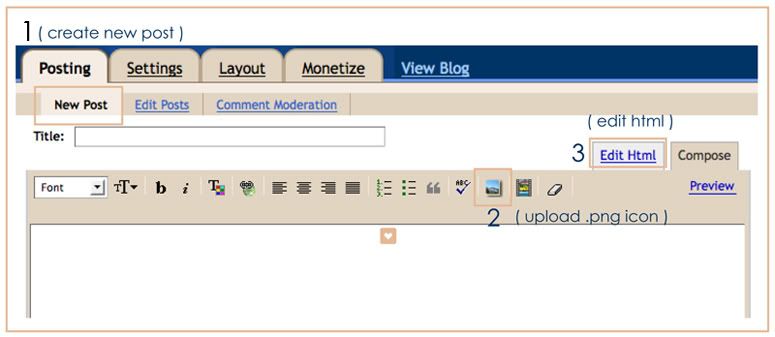
3. Locate your .png file on your computer. In your blogger dashboard, Go to Posting > New Post and upload your favicon .png file.


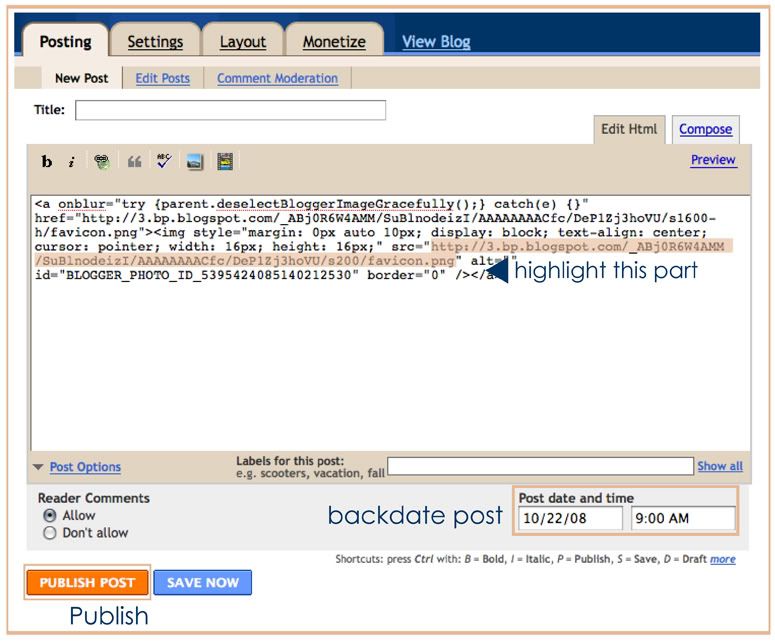
4. Then click on the tab "edit html". Copy the URL text that I have highlighted in the image. You need to publish the post so under "Post options", you can backdate it so you don't have a random post and no one will see.


5) Finally, go to Layout > Edit Html. In the code box, copy and paste the following code:

<link href='http://your-icon-url.png' rel='shortcut icon'/>

<link href='
http://your-icon-url.png' rel='icon'/>

The blue URL text is the text you need to replace with the URL text you copied from step 4. I placed it in the part where I highlighted in the image. Just make sure it is between the &head> and < /head> tags. Click "Save Template" and see your new favicon loaded! :)

if you made it all the way through (hope it wasn't confusing!)
please comment with your blog link so i can see your lovely favicon ;)
and of course, comment if you have any questions or
get stuck and i'll try to help. have fun!

xo.